Best Podcast Website Builders: How to Choose One That Fits Your Show

TL;DR
- Judge builders on seven podcast-specific checks: continuous RSS sync, per-episode URLs, mobile player, subscribe buttons, custom domain, analytics, and low weekly maintenance.
- Named options: podcast.page, Podpage, Beamly (formerly Podcastpage.io), host sites (Buzzsprout, Transistor), Squarespace/Wix, or WordPress + Seriously Simple Podcasting / PowerPress.
- Podcast-specific builders win when your only recurring task is "new episode went live"; WordPress or Squarespace win when the podcast is one section of a larger business site.
If you are comparing podcast website builders, you likely already have a show (or a feed) and want a short list of credible options, plus criteria to avoid picking a generic site tool that becomes a weekly maintenance chore.
The right builder depends less on feature count and more on whether it treats your RSS feed as the source of truth.
The seven checks that actually matter
Most comparison tables hide the workflow you will feel every week. Run every candidate through this list:
- Continuous RSS sync: new episodes appear after your host updates the feed, without you logging in to republish.
- Per-episode URLs: each episode gets its own page with metadata, not only a list item.
- Embedded player that works on mobile: test on iOS Safari, not just desktop Chrome.
- Subscribe buttons: Apple Podcasts, Spotify, and any directory you care about, editable in one place.
- Custom domain support: and whether it is included on your tier.
- SEO basics: editable titles/descriptions, sitemap, clean URLs (PodcastEpisode schema is a plus).
- Weekly maintenance time: honestly estimate minutes per episode after month one.
If a tool fails sync or episode pages, nothing else on the feature list will save you.
[Screenshot: RSS import screen with feed URL field]
Named tools and who each fits
These are the names that actually appear in podcaster forums and SERPs, with honest positioning.
podcast.page
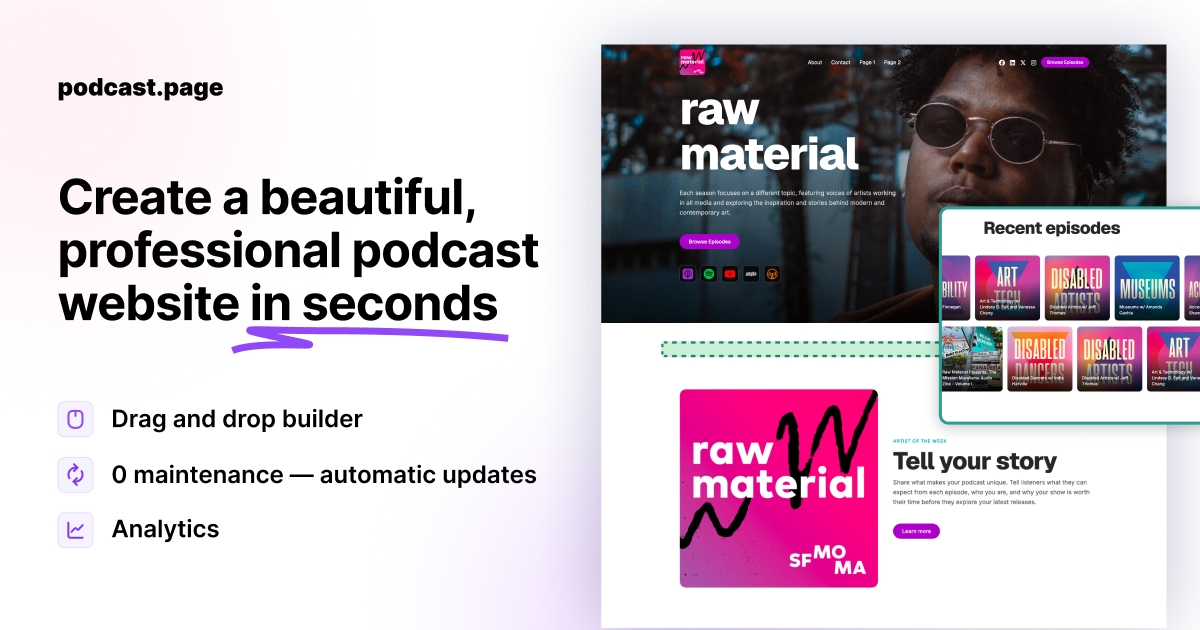
podcast.page is a podcast-first builder: paste RSS, pick a template, publish. Episodes, players, and show notes sync from your existing host. Free to start; paid tiers add analytics and custom domains. Best when you want a show site live quickly without WordPress or manual episode posts.
Podpage
Established podcast-only builder with fast setup from RSS. Strong at auto-generated episode pages and podcast SEO defaults. Paid plans from roughly $9/month (annual billing); trial available, not a permanent free tier. Best when you want a polished podcast site and accept a subscription from day one.
Beamly (formerly Podcastpage.io)
Creator platform with podcast sites plus memberships, courses, and digital products. Heavier than a solo-show tool, but built for podcasters who monetize beyond ads. Best for creator brands that need more than episodes + about page.
Buzzsprout, Transistor, Captivate, Podbean (host bundled sites)
Your host may already give you a feed-synced site on their domain. Zero extra tools, limited design control. Best when convenience beats branding; replace when you need a custom look, landing pages, or analytics your host does not ship.
Squarespace and Wix
Excellent for bakeries, photographers, and consulting firms. Podcast episodes are usually manual blog posts or embed blocks unless you add apps. Best when you already run your business on that platform and publish episodes rarely.
WordPress + Seriously Simple Podcasting or PowerPress
Maximum control: custom post types, Patreon plugins, ecommerce, guest directories. You manage core updates, plugin conflicts, and security. Best when a developer or agency already maintains your WordPress stack.
Quick comparison at a glance
| Tool | RSS auto-sync | Episode pages | Best for |
|---|---|---|---|
| podcast.page | Yes | Yes | Fast feed-driven show sites |
| Podpage | Yes | Yes | Podcast-only sites, paid from trial |
| Beamly | Yes | Yes | Creators + memberships/products |
| Host bundled site | Usually | Varies | Zero extra setup |
| Squarespace / Wix | Manual | Manual | Business site + occasional embed |
| WordPress + plugin | Plugin-dependent | Plugin-dependent | Full control, technical teams |
Exact features and pricing change over time. Validate the row that matters most to you on each vendor's current plan page before you commit.
Best fits by podcaster situation
You want the fastest path from feed to live site. Start with a podcast-specific builder. Import RSS, pick a template, publish on a subdomain, and upgrade to a custom domain when ready.
You are happy with your host site but hate how it looks. Compare podcast-specific builders and landing page tools against your host's upgrade options. Host website alternatives are a common reason podcasters switch.
You already live on WordPress for a business. Adding a podcast plugin can work if your team knows WordPress. If the site is only for the show, a dedicated podcast builder is usually less overhead. See podcast website vs WordPress for a deeper tradeoff breakdown.
You promote mainly on social. A podcast landing page or link-in-bio style builder may be enough. Pair it with strong listen links and a latest-episode block rather than building a ten-page site you will not maintain.
You run client shows or a small network. Look for multi-site support, reusable templates, and analytics on paid tiers.
Red flags when a "website builder" is the wrong choice
Skip or downgrade tools that require you to paste each episode by hand, hide RSS sync behind expensive tiers, lock episode pages behind unrelated ecommerce features, or ship players that break on mobile. Also be cautious with builders that cannot give each episode a stable URL.
[Screenshot: template gallery with podcast layouts]
A practical way to shortlist three options
Write down your non-negotiables (RSS sync, custom domain, newsletter form, video embeds, etc.). Test only builders that meet all of them.
Import your real feed into a free trial or free tier. Publish a draft site, click through on your phone, and share one episode URL to see how the player and show notes look.
Time how long a new episode takes to appear after you publish on your host. Allow 10-60 minutes for some hosts to refresh the public RSS feed before you judge sync failed. If you are still editing the site manually a month later, the tool is not saving you work.
For a structured starting point, how to create a podcast website walks through the same setup flow most podcast-specific builders use.
Frequently asked questions
Is a free podcast website builder enough to start?
Often yes. Free tiers typically include a hosted subdomain and core publishing. Paid plans usually add custom domains, analytics, and advanced branding. Start free, upgrade when a real limitation blocks you.
Do I need a separate website if my podcast host already provides one?
Not always. Host sites are fine when branding and layout meet your needs. A dedicated builder makes sense when you want a stronger design, a custom domain, landing pages, or analytics your host does not offer.
Are Wix or Squarespace good podcast website builders?
They can host a podcast site, but episode publishing is usually manual unless you build custom workflows. They fit multi-purpose sites more than RSS-first show sites.
What is the best podcast website builder for beginners?
A podcast-specific builder such as podcast.page. You avoid configuring plugins and still get episode pages that update when you publish normally through your host.