Custom domain
Your show, your URL
Start on a free subdomain, then connect your own domain when you're ready — so listeners land on yourshow.com, not a generic link.
Import your RSS feed, start from a polished podcast layout, and shape a branded podcast website that reflects your show. New episodes publish automatically — you focus on the brand, not the upkeep.
Free to start · No credit card required
Custom domain
Start on a free subdomain, then connect your own domain when you're ready — so listeners land on yourshow.com, not a generic link.
Responsive design
Every template and section is mobile-first. Your branded podcast website looks sharp on phones, tablets, and desktops — wherever listeners find you.
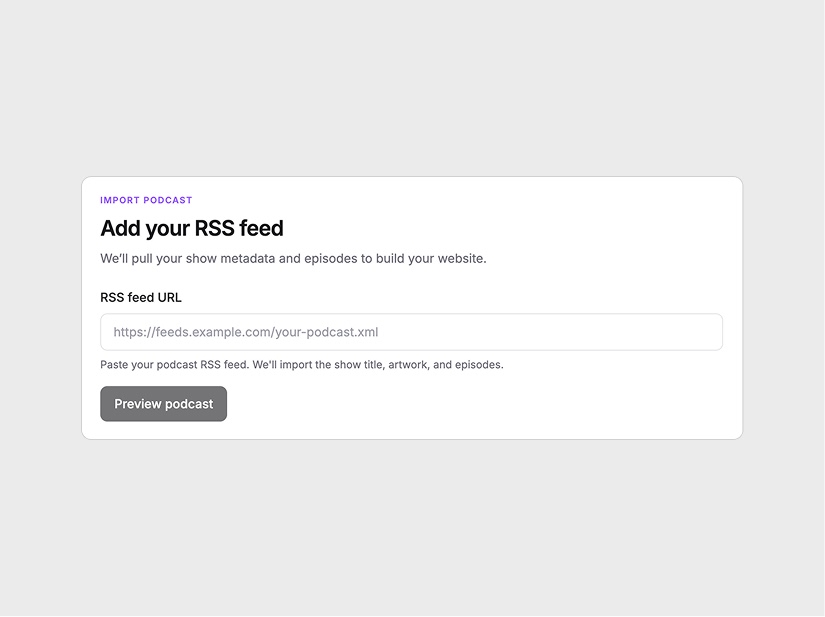
Paste your podcast RSS URL. We import your show title, artwork, description, and episodes — the content foundation for your branded site.
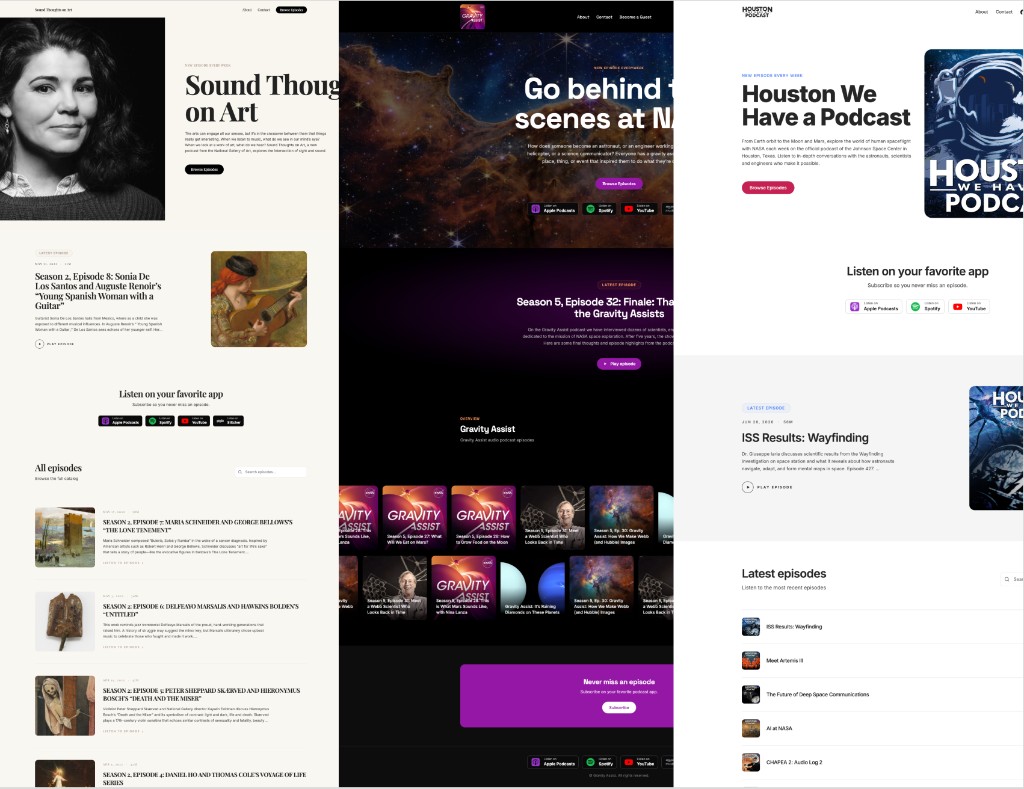
Choose a template and adjust colors, typography, section layout, and copy until your branded podcast website looks professionally designed — and unmistakably yours.
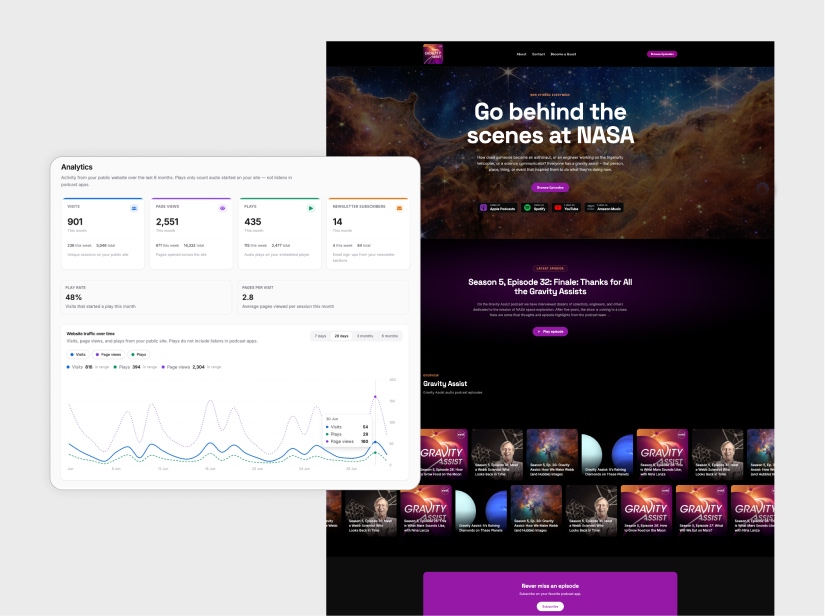
Go live on a URL that represents your show. Track visits and episode interest — new episodes publish automatically when your feed updates.
Build a branded podcast website with sections that match your show — episode highlights, listen links, newsletter signup, testimonials, and more. Every block is customizable so the final site looks cohesive and professional.
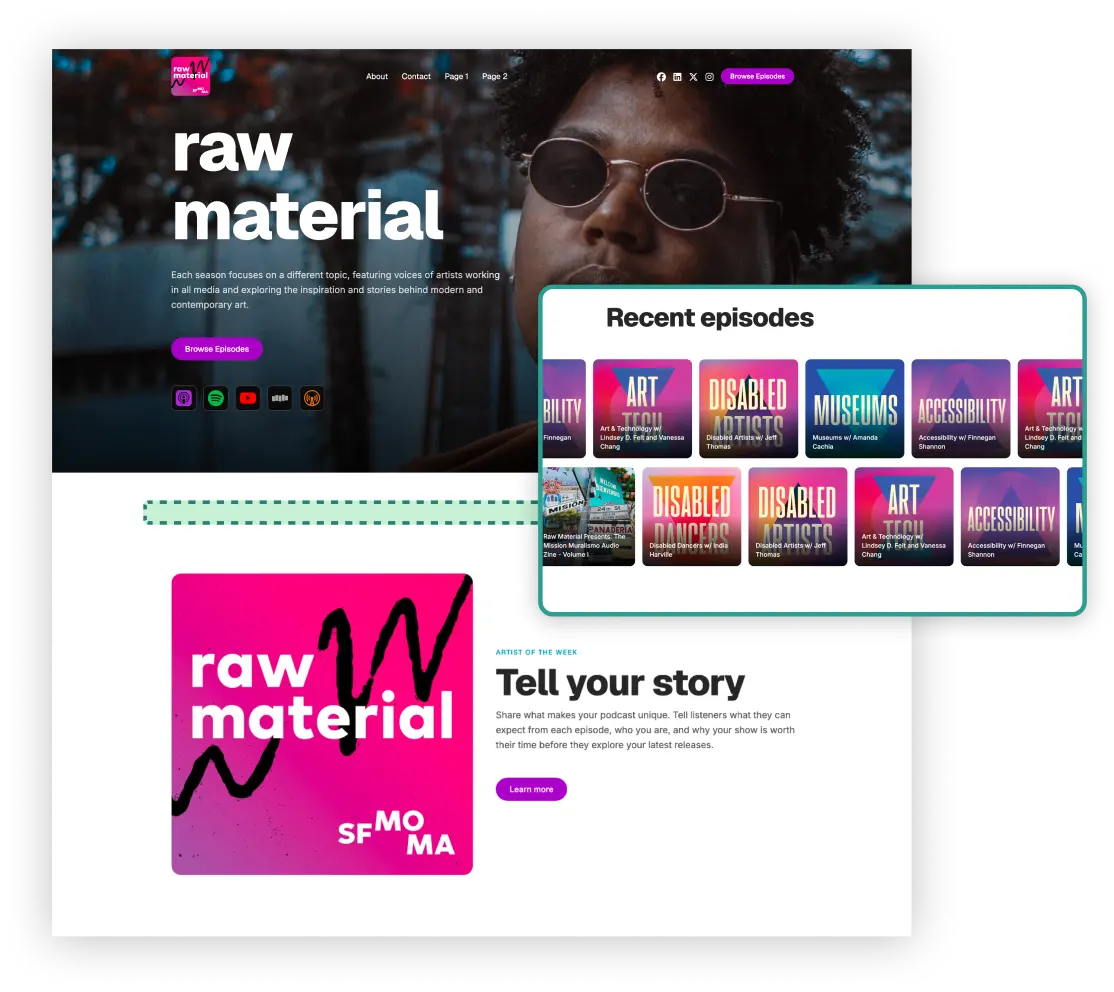
Episode sync
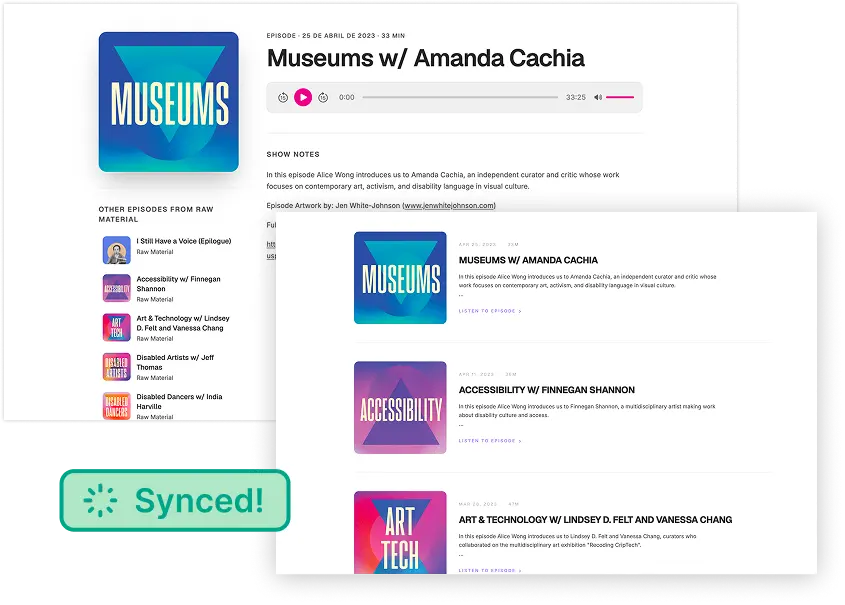
Connect your RSS feed and your branded podcast website stays current. When you release a new episode, the page updates with fresh artwork, an episode link, and listen buttons — no manual publishing.
Analytics
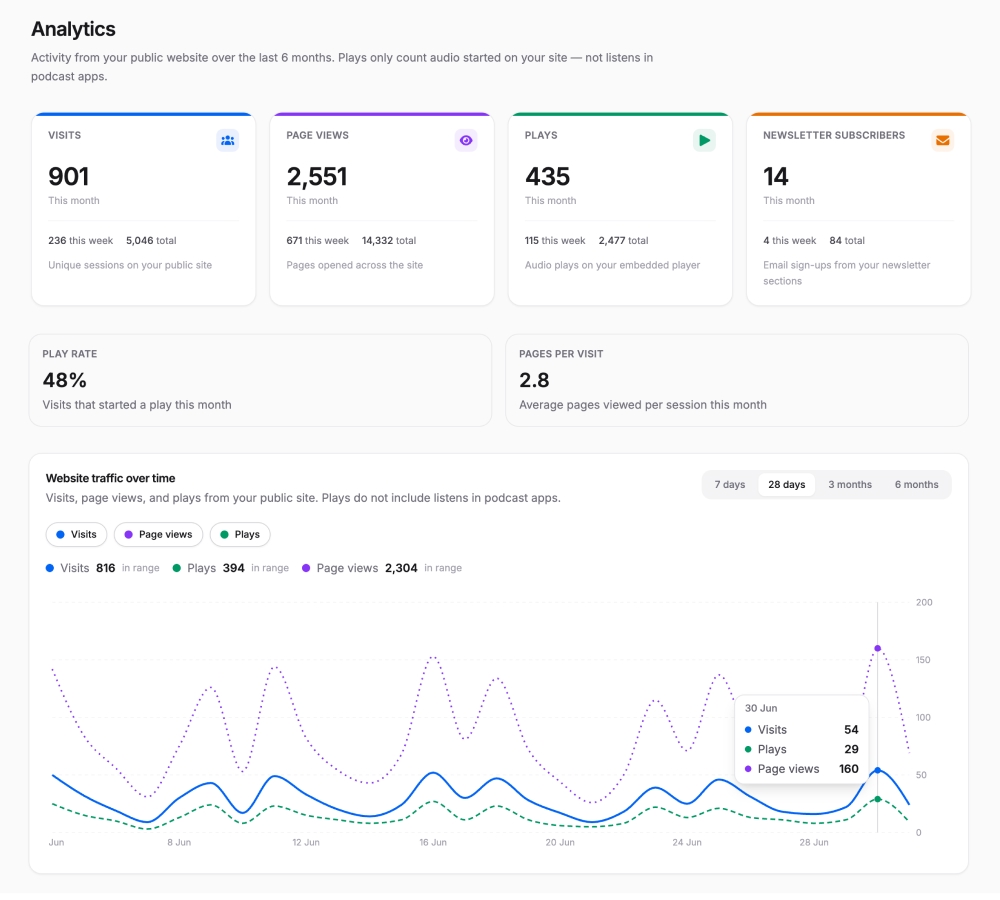
Understand how listeners discover and engage with your branded podcast website. Track visits, page views, and episode interest over time — so you know what's driving growth.
Custom domains
Point a custom domain to your branded podcast website so every link you share leads to your show — like myshow.com instead of a generic builder URL.
Your feed drives the page. New episodes, artwork, and show details sync automatically — no copy-pasting after every release.
Control colors, typography, section content, and layout. Shape a branded podcast website that looks professionally designed — not like a generic template.
Add episode lists, newsletter forms, listen links, testimonials, CTAs, and more — each block ready to drop in and edit.
Every template and section is built mobile-first, so your branded podcast website works wherever you share it.
Capture emails with built-in signup sections. Turn visitors into subscribers you can reach directly.
Track visits and engagement from a dashboard built for podcasters — not buried in a generic analytics tool.
Choose from layouts crafted for podcast websites, then customize until it's exactly right.
A branded podcast website reflects your show's visual identity — custom colors, fonts, layout, and copy — while showcasing episodes and listen links. Ours builds one from your RSS feed with full design control and automatic updates.
Yes. Start from podcast-specific templates, then customize colors, typography, and sections until the site matches your brand. No coding or design agency required.
Yes. Once your RSS feed is connected, new episodes, artwork, and show details sync automatically — your brand stays consistent and your content stays current.
Yes. Start on a free subdomain, then connect a custom domain on a paid plan when you're ready — the strongest finish for a branded podcast website.
Colors, fonts, section order, copy, images, and layout. Add episode lists, newsletter signup, testimonials, listen links, and more — all styled to fit your brand.
Yes. You can create your branded podcast website for free. Paid plans unlock analytics, custom domains, and unlimited client sites for agencies.
Generic builders weren't designed for podcasts. Ours combines RSS sync, episode pages, and listen links with deep branding controls — so your site looks professional and stays up to date.
More ways to build your podcast page
For product questions, feedback, or support, email support@podsqueeze.com.